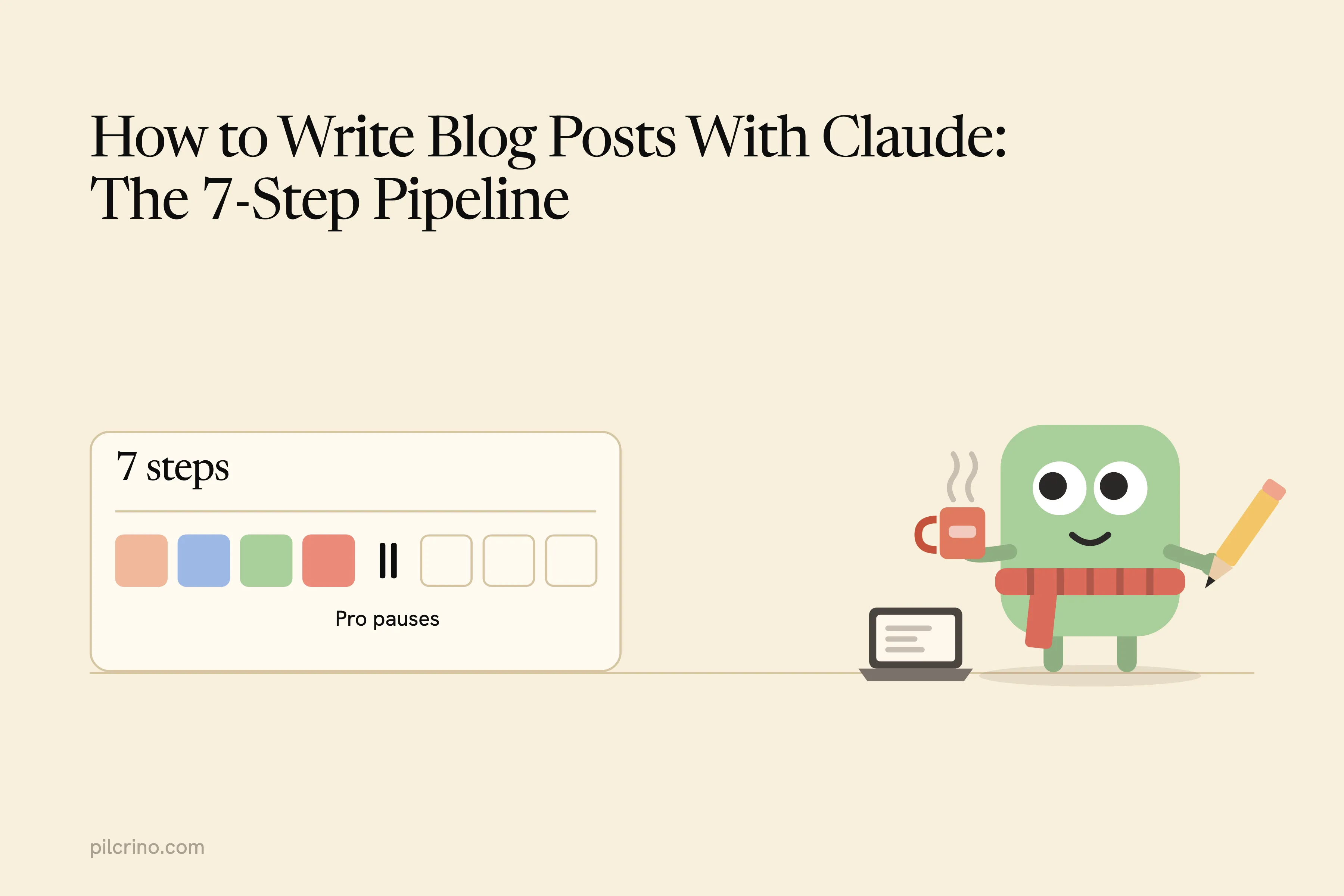
To write blog posts with Claude that you don’t end up rewriting, stop asking one prompt for a finished post and run seven separate steps: a brief, research through your browser, a plan, a draft, a review, a pass that strips the AI phrasing, and images. Each step exists because skipping it causes a failure you can name.
I’ve run about 100 posts through this pipeline on two live blogs, one built on Astro and one on WordPress.
If you’ve already tried the one-prompt version, I wrote up why AI blog posts sound generic when a single request does every job at once.
This guide covers what you need on a Claude Pro plan, the seven steps in order, where the plan’s limits pause a run, and when doing it by hand is enough.
What You Need Before You Start
You don’t need a new tool to write blog posts with Claude. A Pro plan already gives you three pieces, and every step below runs in one of them.
- Claude chat with a Project. Projects are “self-contained workspaces with their own chat histories and knowledge bases,” and every chat inside one draws on the files you add to it. Your brief, style notes and facts list live there.
- Claude Code with skills, for running steps without you. A skill is a SKILL.md file of instructions that Claude picks up when the task calls for it, so you stop pasting the same procedure into every chat.
- Claude in Chrome, for research. Claude in Chrome works on every paid plan, Pro included, and it reads pages inside the Chrome session where you’re already logged in. Anthropic’s own help page calls it “still risky,” so watch what you point it at. The same goes for any tool you hand your docs or blog login: here’s where AI writing tools send your data.
Which piece runs which step?
| Step | By hand in Claude | Unattended in Claude Code |
|---|---|---|
| 1. Brief | A file in your Project | A brief file every skill reads |
| 2. Research | Claude in Chrome, or paste sources | claude --chrome with a research skill |
| 3. Plan and facts | A chat, then a fresh chat to critique | A plan skill and a critique skill |
| 4. Draft | A chat fed the outline and facts | A drafting skill |
| 5. Review | A fresh chat with your checklist | A review skill |
| 6. Humanize | A separate chat with your edit rules | A humanizing skill |
| 7. Images | Claude writes diagram code, you render | A skill that writes and renders it |
Unattended means claude -p, which runs a prompt to the end without anyone at the keyboard, with a skill for each step (here’s what a Claude Code blog workflow is made of and what breaks when you build one).
Claude Code is optional. Everything in the middle column works on Pro without ever opening a terminal.
Step 1: Write a Brief Before You Open a Chat
Skip the brief and Claude picks the angle. Its default angle is the one every other post on your topic already took.
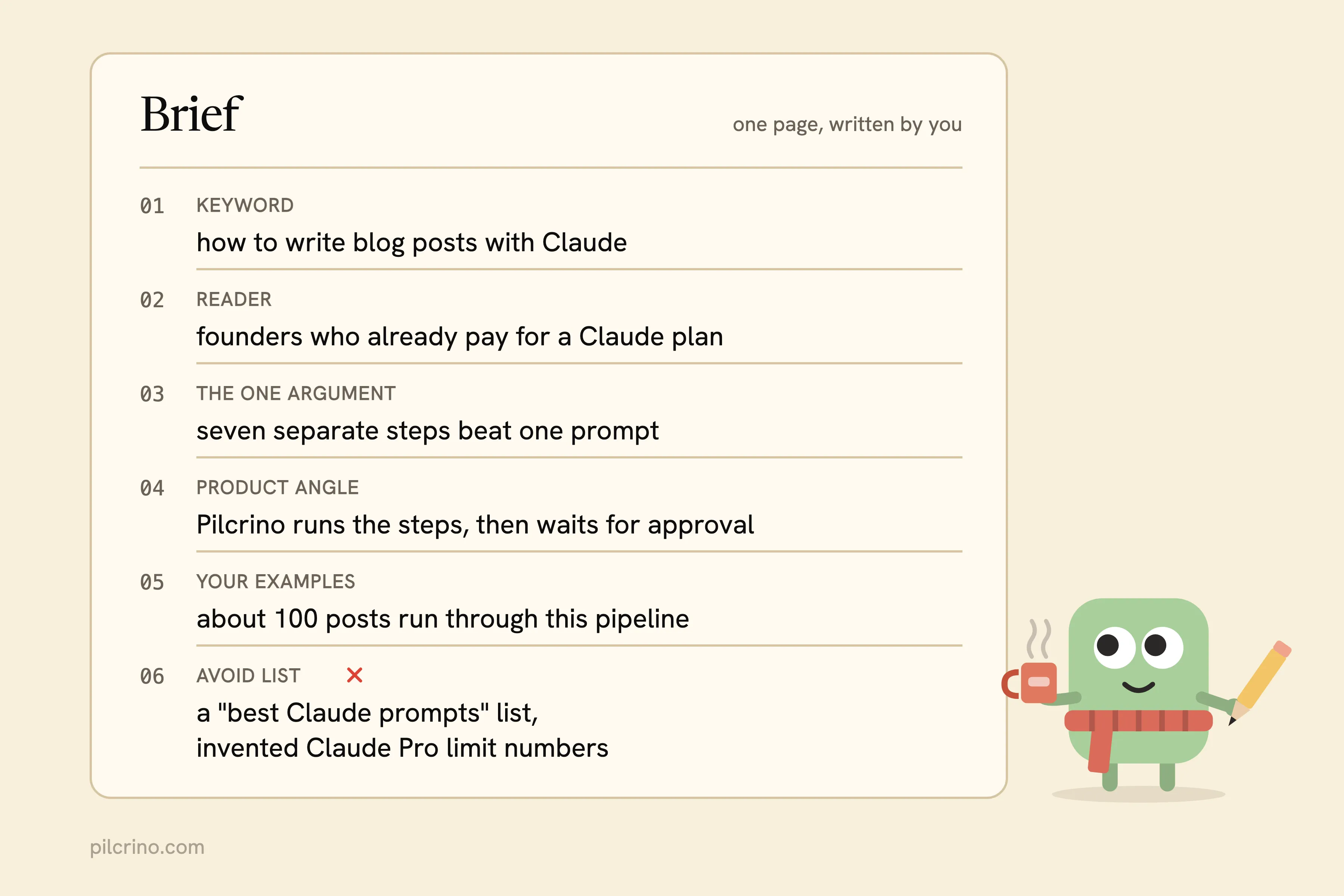
A brief is one page, written by you, before Claude sees the topic. It holds:
- The exact keyword you want to rank for
- Who the reader is and what they already know
- The one argument the post makes
- The product or experience that argument is built around
- Your own examples: a customer conversation, a number from your dashboard, something that broke
- An avoid list: claims you won’t make, words you never use, names you leave out
Why does it have to come from you?
Because the brief is where the material no model has gets in. u/keyworddotcom on r/MarketingandAI said the posts that perform best include “real examples, lessons learned, customer pain points, or data that isn’t available everywhere else.” Claude can’t invent any of that for you.
Save the brief in your Project, or as a file your skills read, so every later step works from the same page.
Step 2: Research Through Your Browser, Not Claude’s Memory
A model writing from memory fills gaps with plausible numbers and facts that have since gone stale. Then you spend the edit hunting for sources.
u/Vecna_Uchirah described that edit on r/content_marketing. After stripping the stock AI words, they were still “cutting outdated stats, tracking down sources, and correcting facts when specific products are mentioned.” Their verdict: “It feels like more work than just writing it myself.”
Research first flips the order. Before any drafting, pull:
- The live Google results for your keyword, to see what already ranks
- Two or three real discussion threads where your readers describe the problem (how to pick and quote those threads)
- The primary source behind every number you plan to use
Save each find as the URL plus the sentence you’d quote, and put it in the Project.
Why your browser and not a search tool?
Your browser is already logged in to the forums, communities and paywalled docs you read every week. Claude in Chrome reads those pages in your own session. In Claude Code, claude --chrome shares the same login state, and when it hits a login page or CAPTCHA it stops and asks you to deal with it.
Pilcrino runs this step by pulling Google results, Reddit threads and X posts through your logged-in browser and citing them in the post.
Step 3: Plan the Argument and Lock the Facts
Skip the plan and Claude writes a tour of the topic with no argument. Skip the facts list and it invents the numbers the argument needs.
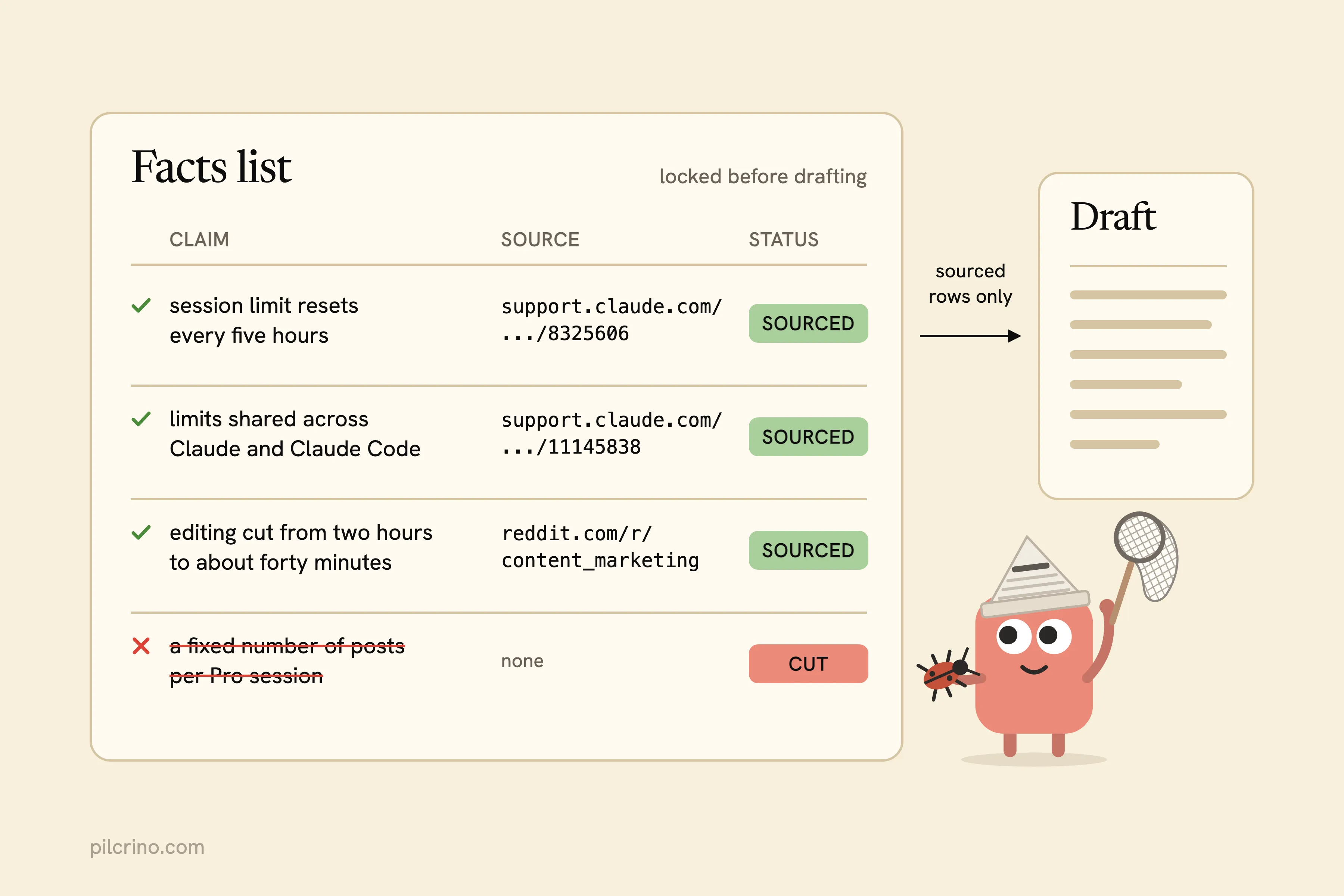
So you produce two things before a single paragraph of the post exists.
The plan:
- The angle, in two sentences
- Three title options, and you pick one
- The H2 sections, in order
- Where your product genuinely helps the reader
The facts list:
- Every number, date and quote the post will use
- The URL each one came from
- Anything without a source, cut now instead of during the edit
Why do you pick the title and not Claude?
Ben Roy wrote on X about spending days trying to get Claude and ChatGPT to come up with good blog titles, and landing at “a hard 0% hit rate.” Let Claude propose options. You make the call.
Then open a fresh chat, one with no memory of writing the plan, and ask it to critique the plan against the brief and the research. The chat that wrote the plan will defend it. A new one has no reason to.
Step 4: Draft From the Outline, Nothing Else
A draft written from a loose request drifts away from the plan and brings claims of its own. That’s where the rewrite starts.
Turn the plan into an outline first: the H2s, the fact each section uses, and a word target for each. Then draft from the outline, with only the brief and the facts list beside it. Tell Claude that any claim not on the facts list gets flagged for you, not written into the post.
What if the post is long?
Draft it one section at a time.
That’s the change u/svlease0h1 described on r/content_marketing: one section per strict prompt, then a single cleanup pass for repeated lines. It’s one person’s report, but it cut editing time from two hours to about forty minutes. Their own summary was “less magic but more control.” For my own posts, the measured rewrite share and cost per post are in a separate write-up.
Step 5: Review the Draft Against the Plan
The model that wrote the draft grades its own work kindly. And nobody checks whether every claim came from the facts list or from memory.
u/SCARfaceRUSH put it plainly in the same r/content_marketing thread: “generation is one job, editing is another.” So the review runs somewhere else, in a fresh chat inside your Project or as a review skill in Claude Code.
Give it a numbered checklist:
- Does each section match the outline, in the same order?
- Is every number, date and quote on the facts list?
- Does the first paragraph answer the search query directly?
- Does anything from your avoid list show up?
- Does the post claim something about your product that the product doesn’t do?
The output is a list of fixes, not a rewritten post. Feed the fixes back for one revise pass, and cap the loop at two rounds so it can’t run forever.
Why turn this into a skill?
You’ll paste the same checklist into chat for every post. Anthropic’s skills doc names exactly that habit as the reason to make one.
Step 6: Run a Separate Humanizing Pass
An approved draft can still read like AI. Ask the model that drafted it to “sound human” and it swaps one set of tells for another.
A humanizing pass is a separate editing pass that strips AI phrasing without touching the facts. Run it last, as its own request, and tell it to change as little as possible. Without it, you do that editing by hand, which is where u/TimSimpson landed on r/ClaudeAI: “Traded the blank page for a full page I couldn’t use.”
What is the pass allowed to change?
- May change: stock phrases, stacked hedges, repeated sentence shapes, paragraphs that all run the same length
- May not change: any fact, number, quote, link or heading
- May not add: new examples or claims to fill a gap it just created
Why AI blog posts sound generic covers why a banned-word list inside the drafting prompt backfires, and why it belongs here instead.
Step 7: Make Images That Explain Something
Skip this step and the post ships with a stock photo or generic AI art that says nothing about your product.
Pick images after the draft is final, one per major idea:
- A diagram of a process the section walks through
- A table turned into a graphic, only when the graphic shows something the table can’t
- A real screenshot of your product doing what the paragraph claims
Why code instead of an image model?
Ask Claude to write the diagram as code (HTML or SVG you can open in a browser) in your brand colours, then render it. Code spells the labels right, keeps your palette, and stays editable when the process changes. I rendered the diagrams in this post from code in this blog’s palette.
Save AI illustration for ideas no diagram can carry. And write alt text from the sentence the image supports, not from what the picture looks like.
Where a Claude Pro Plan Pauses
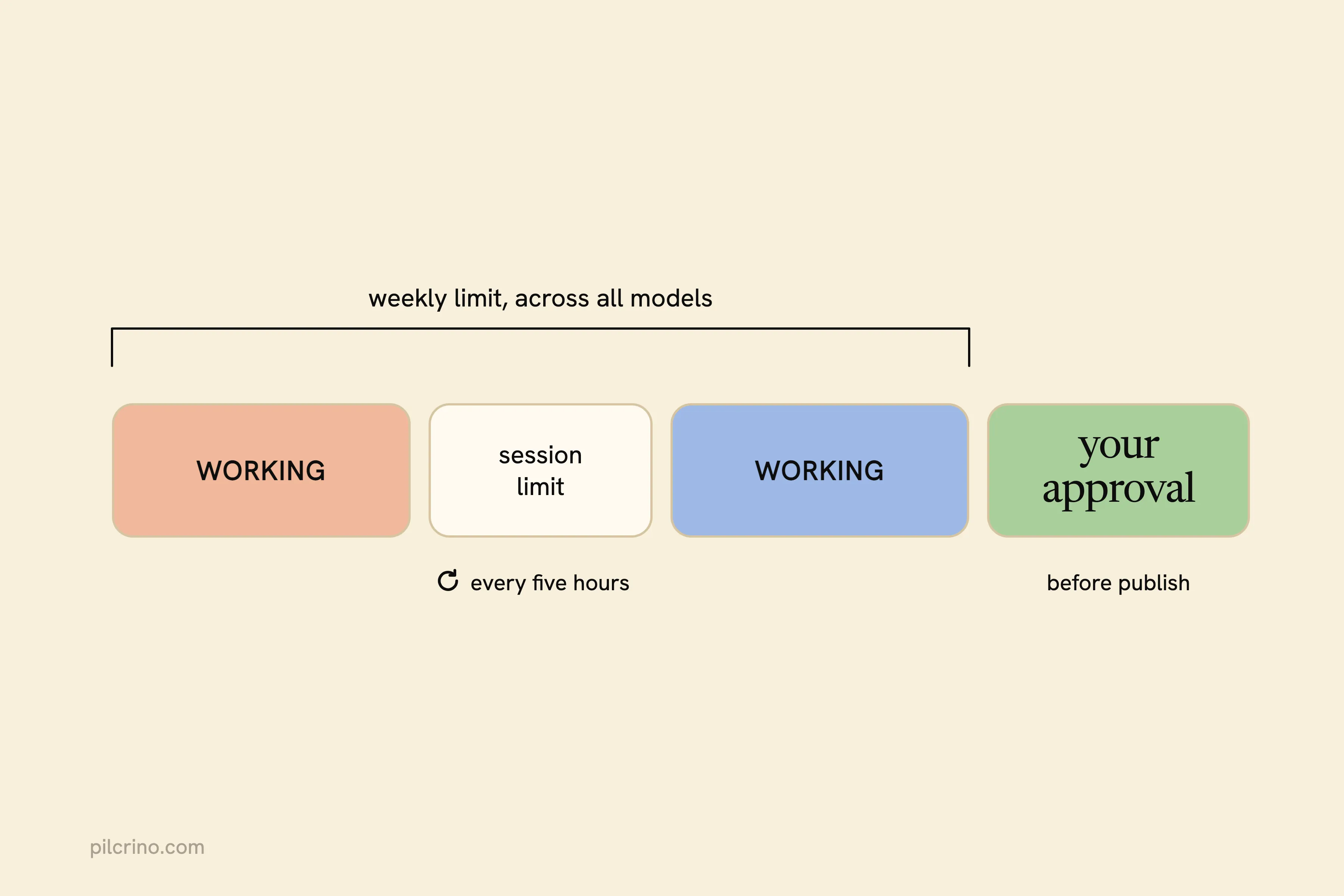
A Claude Pro plan can run this whole pipeline, just not in one sitting. Your session-based usage limit resets every five hours, and Pro also has a weekly limit that applies across all models. The plan itself is still the cheapest line on the bill, as the numbers on what AI writing tools and writers cost in 2026 show.
Those limits are shared across Claude and Claude Code, so a long unattended run in the terminal spends the same budget as your chats. How far a session goes depends on how long and complex your conversations are, the features you use, the model and the effort level you pick. Anthropic doesn’t publish a posts-per-session number.
A run stops for four reasons:
- The session limit, until it resets
- The weekly limit, which counts every model you use
- A login page or CAPTCHA in the browser, until you clear it
- Your approval, before anything publishes
The last one is the pause you want. @businessbarista on X described the same stop in their own content pipeline: “Agent has no write path to live content until a human clicks.”
So what does a full day of runs get through?
My own figure is about three posts a day on a standard Claude plan with the default model mix. I haven’t measured how that changes from one plan to another, so it isn’t a Pro number and you shouldn’t read it as one.
Pilcrino pauses a run at the plan’s usage limit, resumes when it resets, and stops for your approval before anything publishes.
When Doing It by Hand Is Enough
Running the seven steps by hand in a Project is enough when:
- You publish a few posts a month
- The post is a personal story and only you were there
- You’re still working out what you think
When is it time to automate?
When you catch yourself pasting the same brief template, checklist and edit rules into chat every week. That’s also the point to compare packaged tools, like these alternatives to Koala Writer.
Whichever way you run it, write fewer, better posts, and decide first whether blogging is still worth it for your SaaS. @KaiCromwell on X shared numbers from their own brands: a blog post earned $0.77 in revenue per visit against $6.96 for a product page.
That’s one person’s data, and a reply pointed out that posts build the authority that lifts those product pages. Both points favour posts argued around your product over more posts. They’re also the posts that get a product named when buyers ask an assistant, which is how to get ChatGPT to recommend your SaaS.
You can wire all seven steps yourself with the Claude plan you already pay for. If you’d rather start from a pipeline that already runs them and stops for your approval, join the Pilcrino waitlist.
It’s built for posts in your voice that argue for your product. The writer is a free Claude Code plugin; the app that runs it for you is $199 once, $129 for the first 50, with 12 months of updates and support, and is on a waitlist.
Researched and drafted with Pilcrino. Approved by Slav.
FAQ
Is Claude good for writing blog posts?
Yes, for structure and drafting, when it works from a brief, real sources and a locked facts list. It’s weak when you ask it to supply the facts or choose the title on its own. Keep those decisions for yourself and let Claude do the drafting and the checking.
Can I write blog posts with Claude Pro without Claude Code?
Yes. A Project holds your brief, facts list and edit rules, and each step runs as its own chat inside it. Claude Code only matters once you want the steps to run without you at the keyboard.
How many blog posts can I write a day on Claude Pro?
Anthropic doesn’t publish a number. Usage depends on how long your conversations are, the features you use, the model and the effort level, with a session limit that resets every five hours and a weekly limit on top. I get about three posts a day on a standard Claude plan with the default model mix, but that isn’t a Pro-specific measurement.
Will Google penalize blog posts written with Claude?
Not for using Claude. Google’s Search Central guidance on AI-generated content, published in February 2023, says it rewards helpful content however it was produced. What hurts is thin, unsourced posts, and the seven steps are there to keep you from publishing those. I went through the evidence on whether AI-generated content is bad for SEO in a separate post.